ByteStar Help Center
For: households and organizations using the ByteStar App (web or mobile)
Not for: system administrators or firmware engineers (that material lives in our internal repos)
Learn how to link kits, share spaces, monitor sensors, control actuators, build dashboards, run scenes, schedules, and automations, and manage your plan.
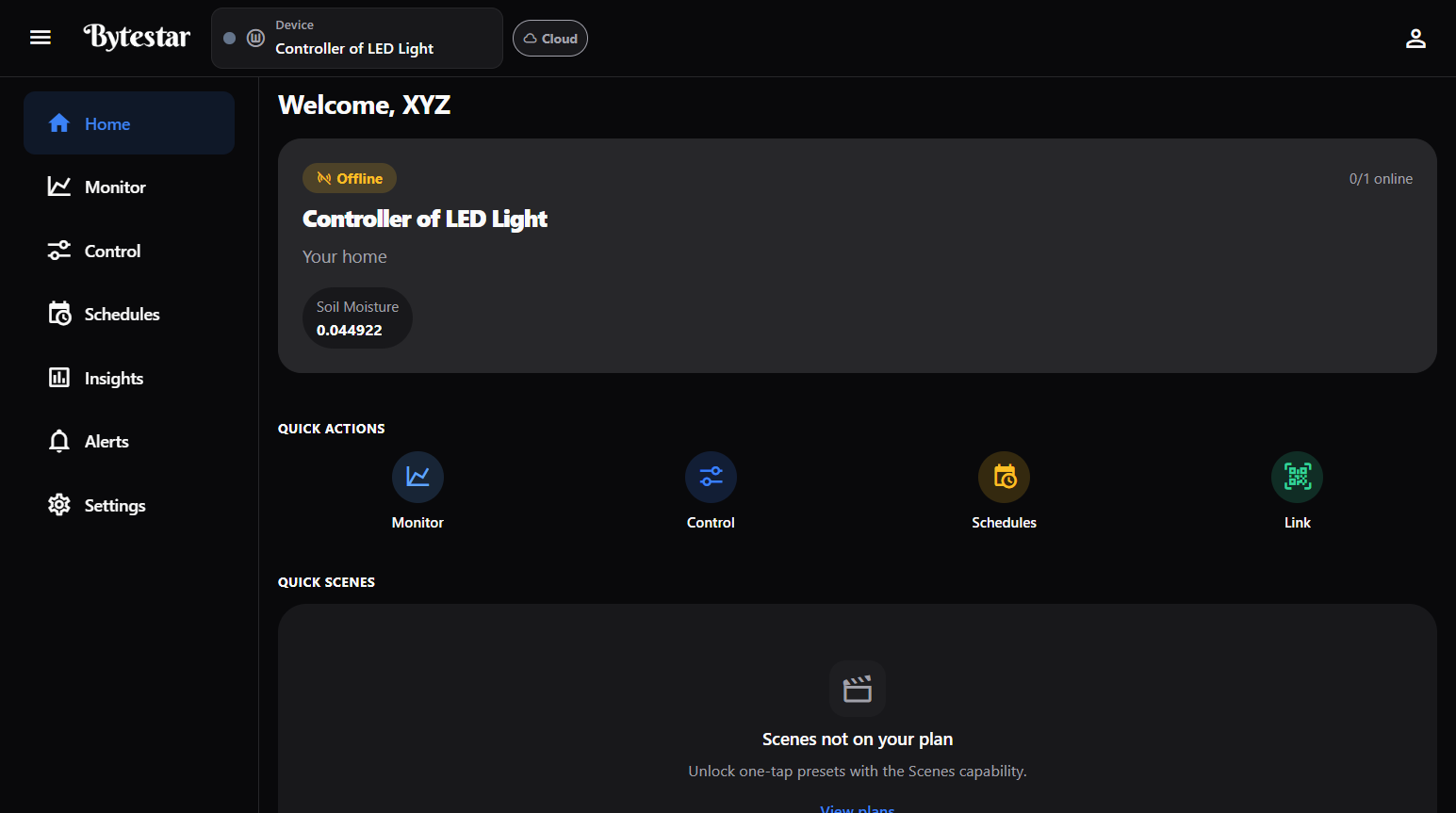
Home after you sign in — device status, quick actions, scenes, and pinned dashboards.
What you can do in the App
| Area | What it’s for |
|---|---|
| Home | At-a-glance status, quick actions, quick scenes, pinned dashboards, recent activity |
| Monitor | Live sensor readings and history for the selected device |
| Control | Turn actuators on/off, set dimmers and levels |
| Schedules | Run actuator actions on a clock (one-time, daily, weekly) |
| Scenes | Apply several actuator states at once (Away, Home, …) |
| Automations | If-this-then-that rules when a sensor crosses a threshold |
| Insights | Trends over 24h / 7d / 30d |
| CCTV | Live camera feeds (when your kit has a stream URL) |
| Energy & anomalies | Power use and unusual spikes (when your kit has a power sensor) |
| Alerts | Device alerts and account messages |
| Settings | Account, family, spaces, Nearby, billing, Widget Studio, and more |
Header controls (every page):
- Device — switch which controller you are working with
- Cloud / Nearby — cloud remote control, or tap for local Nearby
- Account — settings shortcut, sessions, password, logout
Start here
| I want to… | Go to |
|---|---|
| Tour the whole App | Using the App (Home) |
| Set up my first kit | Get started |
| Link / claim a device | Claim a device |
| Invite family or teammates | Spaces & household or Organizations |
| Control devices | Control devices |
| Create scenes, schedules, automations | Scenes & schedules · Automations |
| Build a custom dashboard | Screens & Widget Studio |
| Use local control | Nearby |
| Manage my plan | Plans & billing |
| Visit the product website | bytestar.in |
Who can do what?
Most guides assume you signed in as a normal account member. Actions that only ByteStar staff can perform (for example defining new hardware types in the catalog) are not covered here — contact support if you need that.