Your account & Settings
Manage security, appearance, home & people, devices, billing, and App preferences.
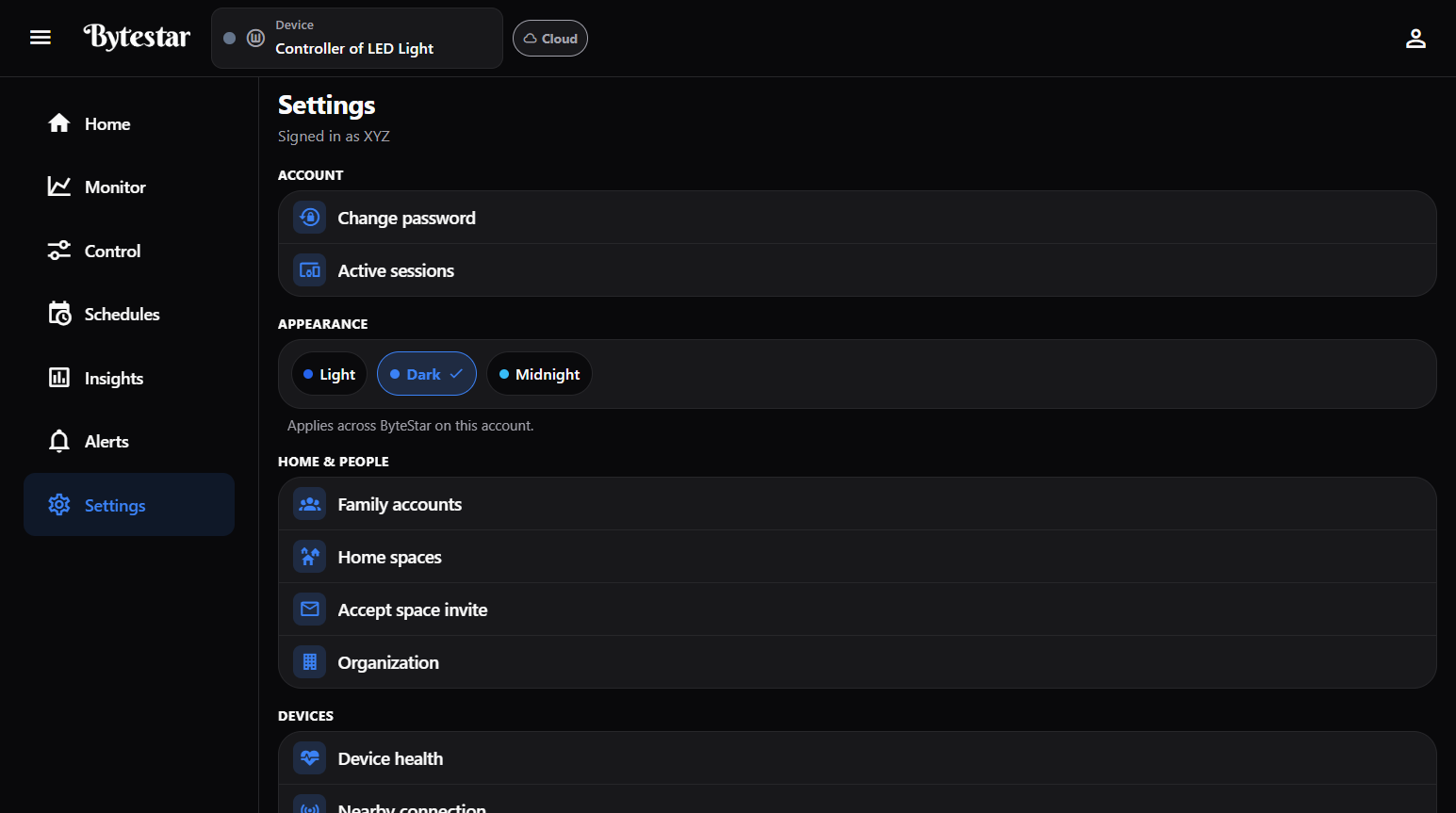
Settings — appearance, family / org links, devices, Widget Studio, and sessions.
Paths: left nav → Settings, or header Account.
Sign up & sign in
- Open the ByteStar App or website entry point.
- Create an account with email or available SSO (Google / Apple).
- Complete verification / MFA if asked.
Account menu (header)
Quick links: Settings · Sessions · Change password · Alerts · Logout.
Settings map
Account
| Item | Purpose |
|---|---|
| Change password | Update your password |
| Active sessions | Review signed-in devices; revoke suspicious ones |
Appearance
Themes: Light · Dark · Midnight — applies across ByteStar on this account.
Home & people
| Item | Purpose |
|---|---|
| Family accounts | Add household sub-users with their own login |
| Home spaces | Create spaces, invite members, assign devices |
| Accept space invite | Join a space you were invited to |
| Organization | Switch to / manage org context |
See Spaces & household.
Devices
| Item | Purpose |
|---|---|
| Device health | Connectivity and health summary |
| Nearby connection | Local Bluetooth / Wi‑Fi / hotspot control |
| Link another device | Claim a new kit with setup code / QR |
Notifications
| Item | Purpose |
|---|---|
| Alert channels | How you receive alerts |
| Integrations | Optional external integrations |
Billing
| Item | Purpose |
|---|---|
| Subscription & plans | Current plan and upgrades |
| Buy a kit | Purchase hardware |
| My orders | Order history |
| Addresses | Shipping / billing addresses |
See Plans & billing.
Operations
| Item | Purpose |
|---|---|
| Device security | Security options for your controllers |
| Local firmware tools | Advanced local tools (use only if instructed by support) |
| Widget Studio | Design dashboard layouts |
| Dashboard screens | Pin screens to Home |
App
| Item | Purpose |
|---|---|
| Show page tips again | Reset in-App coaching tips |
| Clear cache | Clears cached data; keeps your login |
Legal & support
Help center, Terms, Privacy, Privacy request, Contact support.
Sign out
- Log out — this browser/app
- Log out of all devices — every session
Primary account vs sub-accounts
Household sub-accounts share the primary user’s home under the permissions you grant. Billing is managed by the primary account unless a sub-user was given billing permission.
warning
Organization work uses a separate org context — see Organizations. Personal devices and org devices stay separate.