Scenes & schedules
Automate how actuators behave — either as a one-tap preset (scene) or on a clock (schedule).
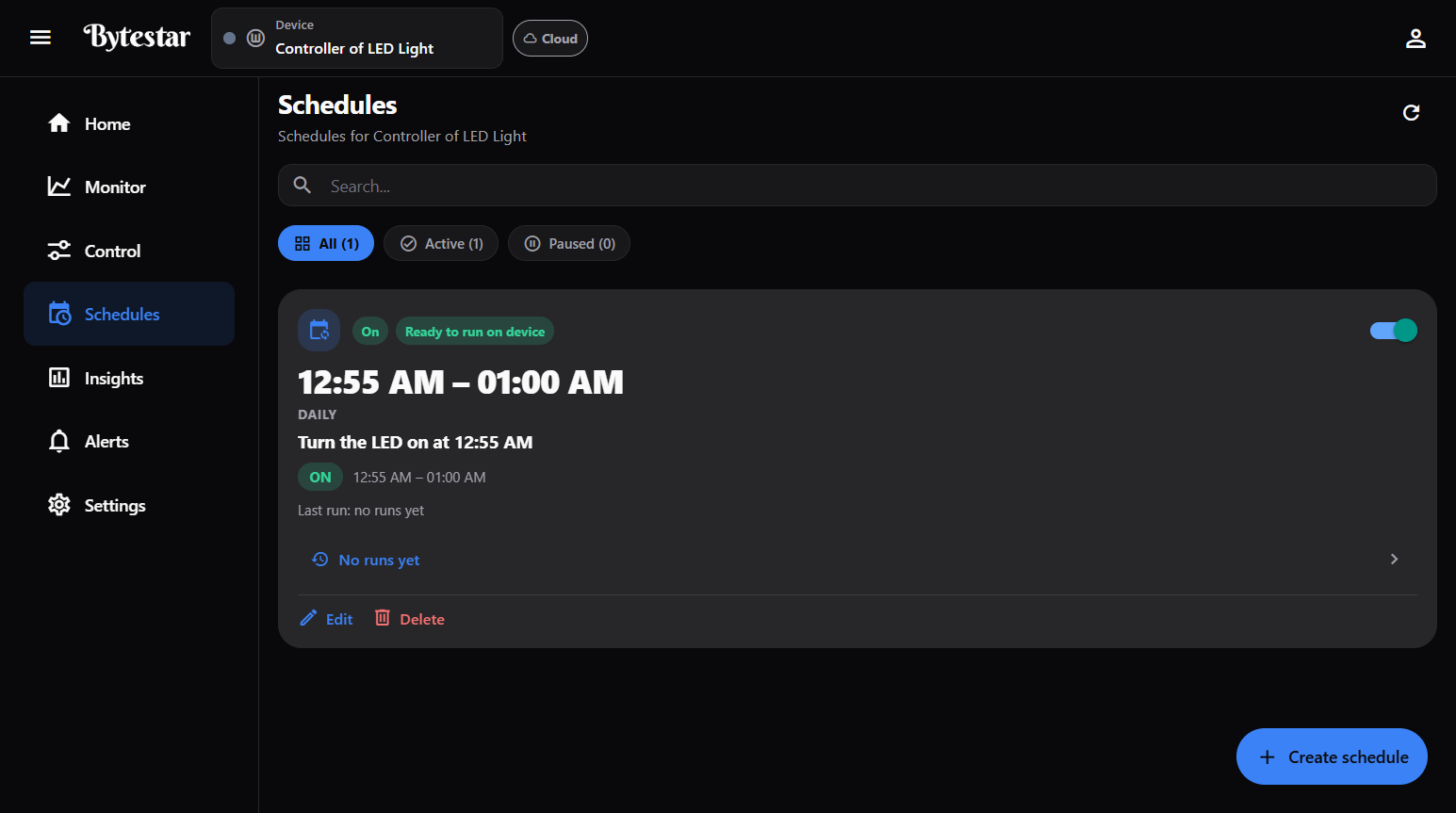
Schedules — run controls on a clock (daily, active, or paused).
Scenes
A scene sets several actuators at once (for example Away, Home, Movie).
Path: left nav → Scenes, or Home → Manage scenes / Quick scenes.
What you can do
- Browse scenes for the selected device
- Start a scene (device must be online)
- Edit or Delete a scene
- Create scene
Create a scene
- Open Scenes → Create scene.
- Enter a Scene name.
- For each actuator on the device:
- Include it if the scene should change that actuator
- Choose Set to On or Off
- Left-out actuators stay unchanged when the scene runs
- Tap Create scene.
You can create and edit scenes while the device is offline; activation waits until it is online.
From Home → Quick scenes, tap Start on a scene for everyday use without opening the Scenes page.
Schedules
Run an actuator action on a timetable.
Path: left nav → Schedules (route: /schedule).
List tools
- Search by name
- Filters: All · Active · Paused
- Per schedule: on/off toggle, Edit, Delete, Run history
- Status badges (for example On, delivery status such as “Not on device — delivery failed” when the controller is offline)
Create a schedule
- Open Schedules → Create schedule.
- Fill in:
| Field | Options / notes |
|---|---|
| Name | Friendly label (for example “Daily pump irrigation”) |
| Repeat | One time · Daily · Weekly |
| Runs until | Forever · Until date |
| Time window | Starts and Ends times |
| Action | Turn on · Turn off |
| Actuator | Pick from the device (for example Water Pump, Grow Light) |
| When offline / after restart | Optional: run when network is down (best effort; needs a usable clock on the device); allow after device restart |
- Tap Create schedule.
Keep the device online so cloud schedules can sync and run. Check Run history if a run was suppressed or failed.
Space Members and above can typically create scenes/schedules if your plan allows. Viewers cannot.
Related
- Automations — react to sensor thresholds instead of a clock
- Control devices
- Troubleshooting