Get started with ByteStar
Get from zero to a working device in the App (web Home or mobile).
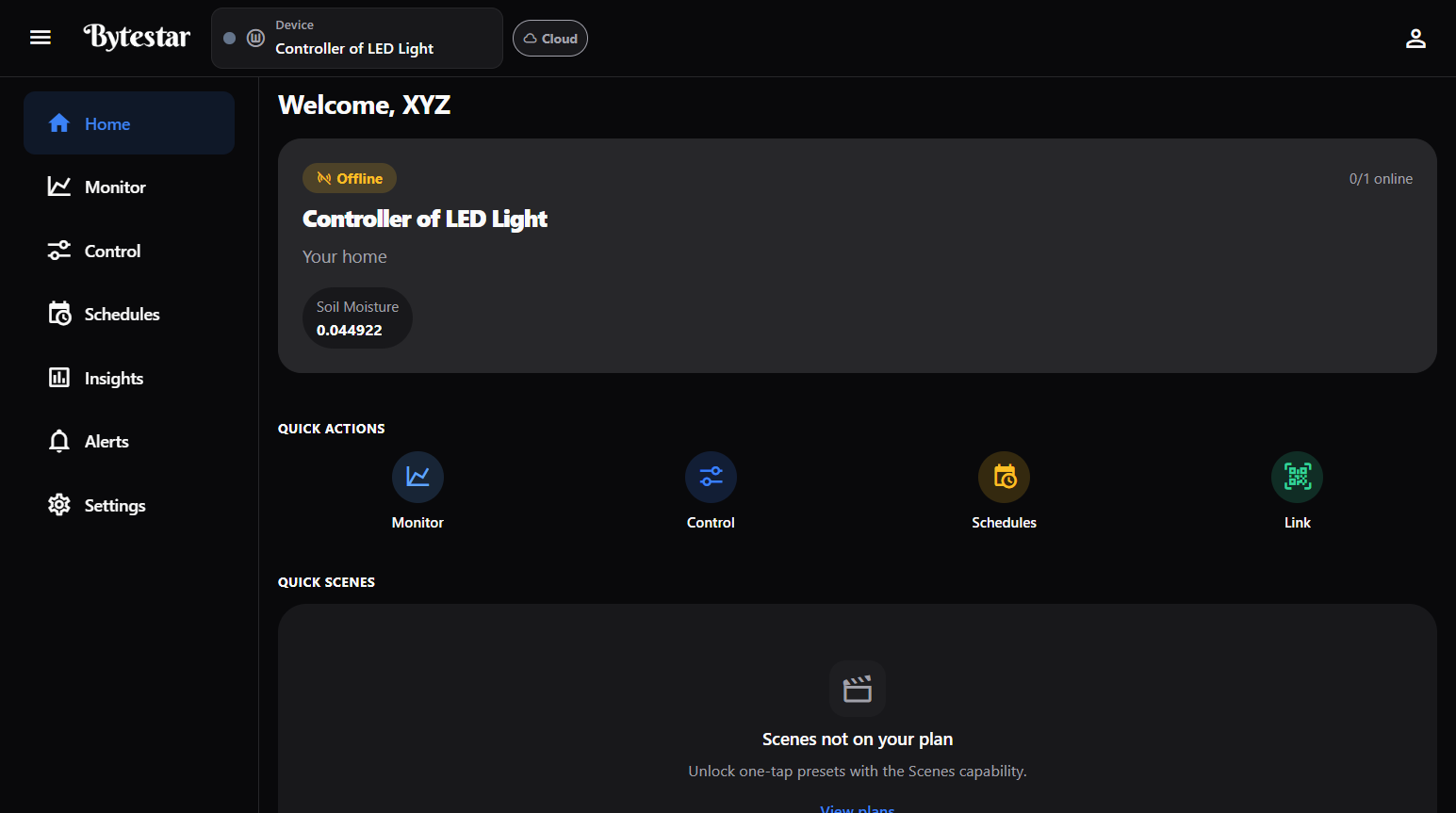
Home — device status and quick actions after you sign in.
What you need
- The ByteStar App (mobile or web)
- A ByteStar kit or controller with a setup / QR code
- Wi‑Fi for the device (and for cloud control when you are away)
Steps
- Create your account — see Your account.
- Link your device — Home → Link, or Settings → Link another device. Scan the kit QR or enter the setup code (Claim a device).
- Put it in a space — Settings → Home spaces → create or open a space, then Assign device (Spaces).
- Select the device in the header Device picker.
- Monitor & Control — open Monitor for sensors, Control for actuators (Control devices).
- Automate — create scenes & schedules and automations.
- Optional — design a custom screen in Widget Studio and pin it under Dashboard screens.
note
Sensors and actuators on your kit are prepared for you. You control and bind them in the App; you do not create hardware catalog definitions yourself.
First day checklist
- Device shows online in the header (or use Nearby while local)
- Monitor shows live readings
- Control toggles work when online
- At least one scene or schedule created
- Family / space members invited if you share the home
Next
- Using the App (Home) — full navigation map
- Screens & Widget Studio
- Nearby
- Product website: bytestar.in